Annotate any 360° space. Share it live.

Draw labels, arrows and markers on panoramic images. Your audience explores them in VR — from any device, with a code.

Laptop
Phone
Tablet
VR headset
Works on any device & browser
LayerScape editor showing a 360° panorama with annotations

Use Cases

Virtual Field Trips
Workplace Safety Training
Property & Real Estate Tours
Architectural Visualization
Product Demonstrations
Event & Venue Previews
Immersive Storytelling
Medical Training
Industrial Maintenance
Remote Team Collaboration
Mental Health & Relaxation
Gamified Learning
Tourism & Cultural Guides
Security Training
Data Visualization
Virtual Field Trips
Workplace Safety Training
Property & Real Estate Tours
Architectural Visualization
Product Demonstrations
Event & Venue Previews
Immersive Storytelling
Medical Training
Industrial Maintenance
Remote Team Collaboration
Mental Health & Relaxation
Gamified Learning
Tourism & Cultural Guides
Security Training
Data Visualization

How it works

From upload to live 360° presentation in three steps.

01
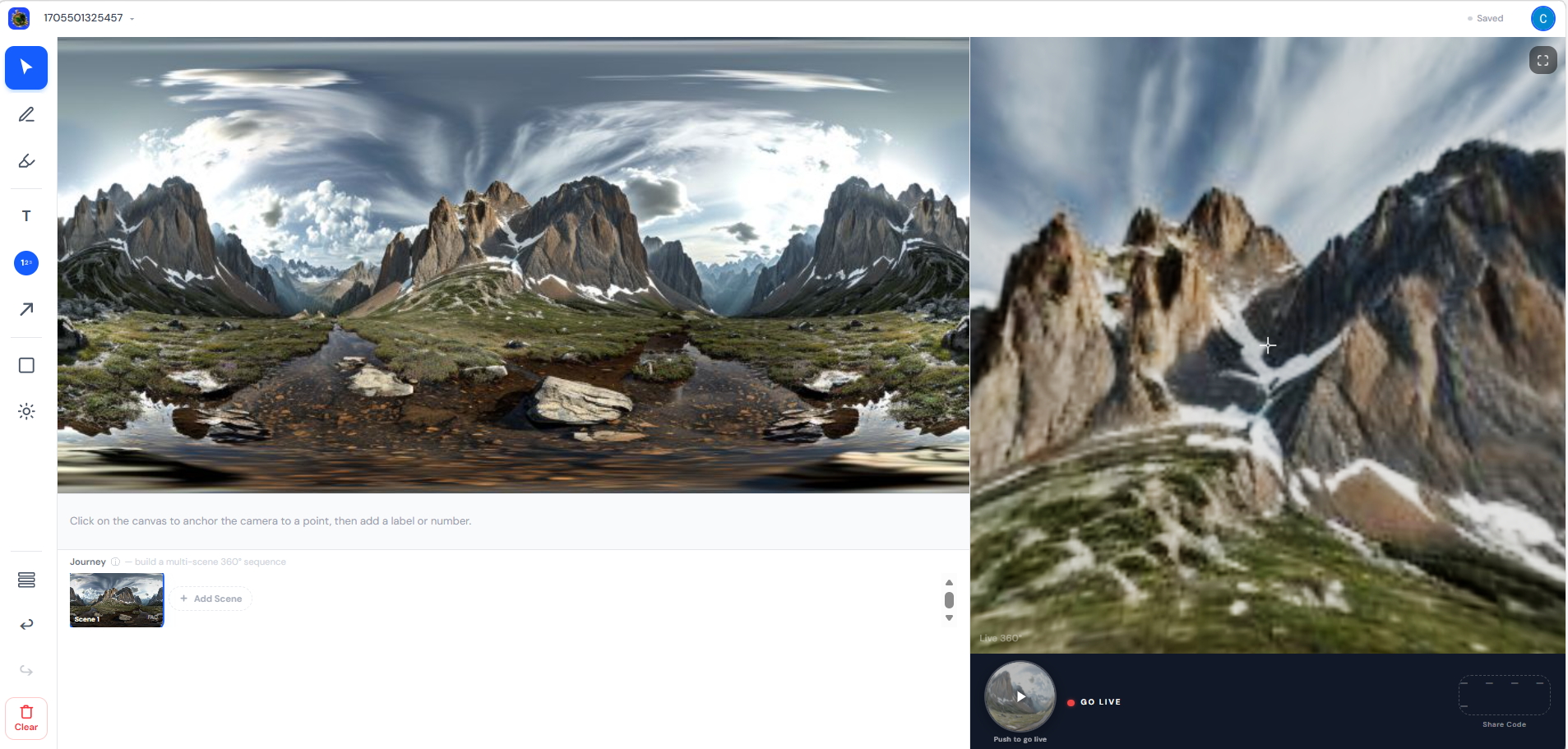
360° panorama loaded in the editor

Drop in your panorama

Upload any equirectangular 360° image. It stays on your device until you choose to share.

02
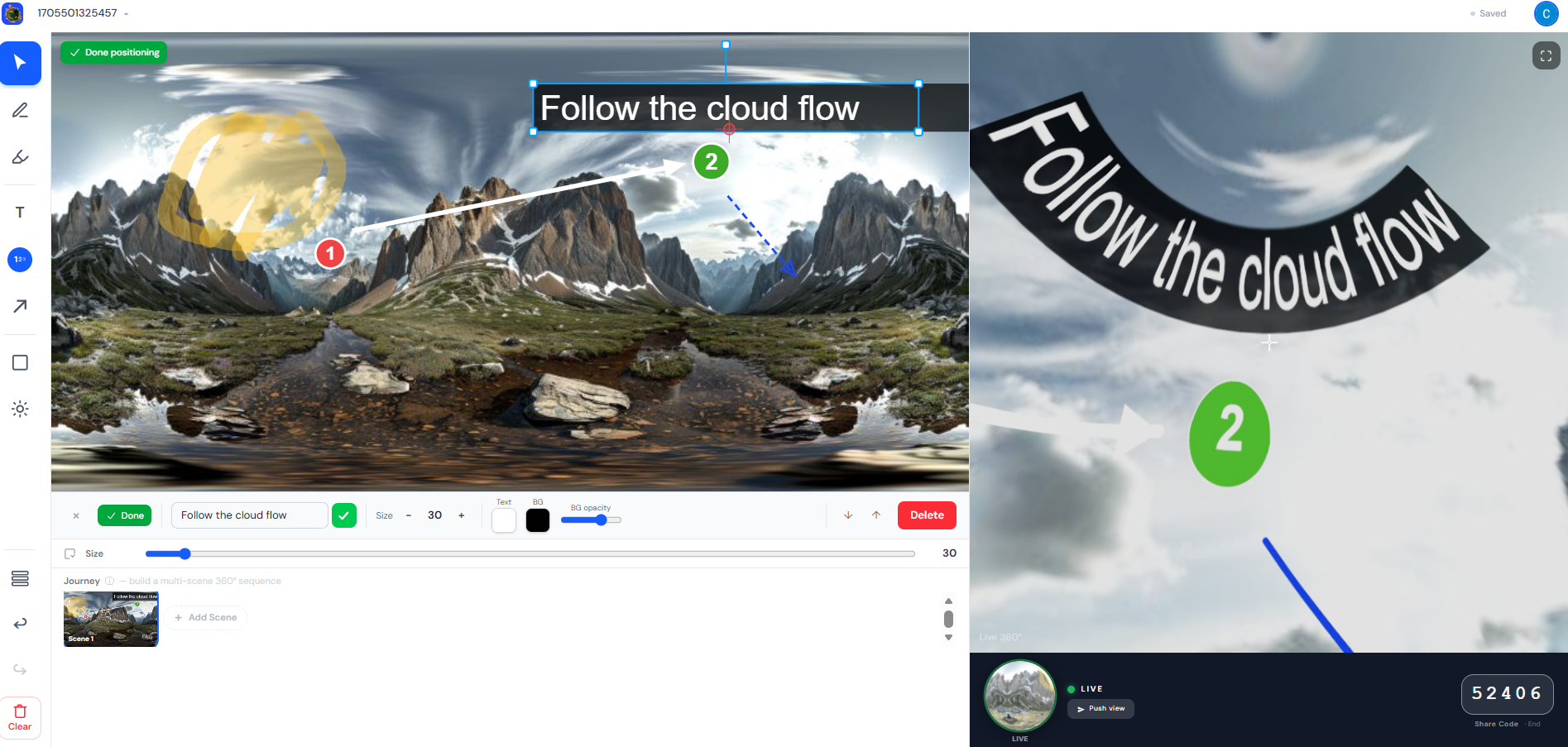
LayerScape editor with annotations
Live preview

Annotate in real time

Add labels, arrows, markers and shapes directly on the flat canvas. Every change appears instantly in the live 360° preview beside it.

03
4
7
2
9
1

Your audience joins with a code

Share live with a code

Start a session and give your audience a 5-digit code. They join on phone, tablet, or VR headset — no account needed.

Communicate in 360 degrees

Whether you teach, build, survey, or create — LayerScape gives your 360° images a voice.

1

Education & Training

Turn any space into a guided lesson

Walk students through equipment, hazards, and key features with numbered callouts — and host it live in VR.

Architecture & Real Estate

Replace slideshows with spatial walkthroughs

Highlight finishes, dimensions, and design decisions on panoramic site images. Share with clients via a simple code.

LIVE

Events & Documentation

Give every 360° moment a voice

Overlay labels, notes, and callouts on panoramic captures. Export annotated images for records or share live.

Field Surveys & Inspection

Annotate on-site, review anywhere

Mark hazards, measurements, and findings on panoramic site images. Run live review sessions for remote teams.

Ready to try it?

Free to start. No account needed.

Start Creating →